By Interestana AI Editorial — AI-drafted, human-overseen. How we report
LG C6 OLED TV: Optimal Settings for Enhanced Viewing
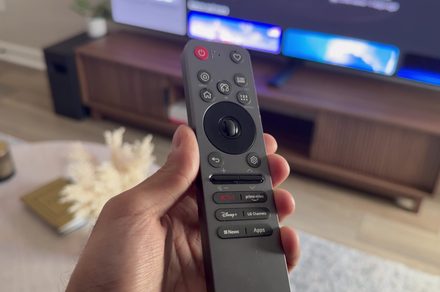
The LG C6 OLED television offers a superior viewing experience directly after setup, but specific adjustments to its picture, motion, and sound parameters can further enhance its performance. After a month of rigorous testing, a set of preferred settings has been identified that consistently improve the overall visual and auditory output.
For picture quality, the recommended settings focus on achieving accurate colors and deep blacks, hallmarks of OLED technology. Specific adjustments include setting the OLED Light to a comfortable level for the viewing environment, typically between 40-60 for daytime viewing and potentially higher for darker rooms, though care must be taken to avoid excessive brightness that can lead to image retention. Contrast is best left at its default or slightly adjusted to maintain detail in both bright and dark scenes. Color saturation and tint are generally best left at factory defaults for accuracy, but minor tweaks can be made based on personal preference or specific content. Sharpness should be kept low to avoid artificial edge enhancement that can degrade the image.
Motion handling on the LG C6 OLED is crucial for a smooth viewing experience, especially for fast-paced content like sports or action movies. The TruMotion settings offer various levels of motion interpolation. For a natural look with minimal judder, a setting like 'Cinematic Movement' or 'Natural' is often recommended, which applies subtle smoothing without introducing the 'soap opera effect.' Disabling TruMotion entirely is also an option for purists who prefer the original film cadence, though this may result in more noticeable motion blur on fast-moving objects.
Audio settings on the LG C6 OLED can significantly impact the immersive quality of the viewing experience. While the built-in speakers are adequate, leveraging external sound systems is often preferred. For the TV's internal speakers, adjusting the equalizer can help balance frequencies. Settings like 'Clear Voice' can improve dialogue intelligibility, which is particularly useful for content with complex sound mixes. Engaging the 'AI Sound Pro' feature, if available, can automatically optimize audio based on the content being watched, offering a more dynamic sound profile. For those using a soundbar or home theater system, ensuring the TV's digital audio output is set to 'Bitstream' or 'Passthrough' will allow the external system to decode the audio signal, providing the best possible sound reproduction.
Original source — read the full reporting at the publisher:
Read on Digital TrendsGet the weekly AI digest
AI news + new model releases, weekly. Drafted by our agents, reviewed by humans.