By Interestana AI Editorial — AI-drafted, human-overseen. How we report
Unified Dashboard Consolidates Workday Messages
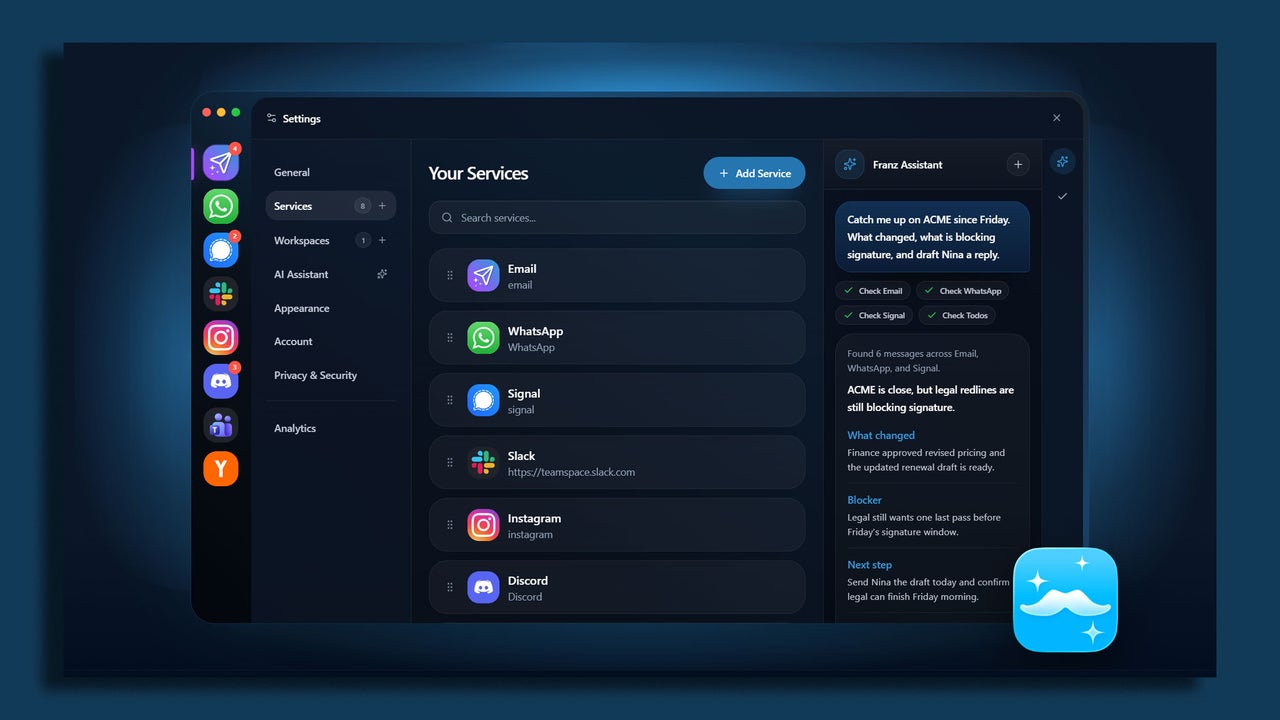
Managing a constant influx of work-related messages from various platforms like Slack, Microsoft Teams, multiple email accounts, and mobile applications can lead to significant time loss and reduced productivity, often described as a "notification whack-a-mole" scenario. The core problem is not a lack of communication tools, but rather the fragmentation of incoming messages across disparate systems. A proposed solution involves creating a single, unified dashboard that aggregates all these communications into a central "cockpit," providing users with enhanced control over when and how they receive notifications. This approach aims to streamline the process of staying informed and responsive without requiring additional communication software.
The strategy for building this unified dashboard centers on utilizing a "catch-all" aggregator application. This method is presented as the cleanest and most reliable approach for most users, avoiding the complexities of custom scripts or webhooks. Instead, it involves wrapping all web-based messaging applications within a single desktop window, augmented by strict notification filtering. The setup process begins with "notification bankruptcy," a pruning phase where users declare notification dormancy for non-essential channels. This includes disabling "channel joined" alerts in Slack, muting low-priority channels in Microsoft Teams, and unsubscribing from non-critical email lists. The principle is that if a channel does not require immediate action, it should not generate real-time alerts, thereby reducing constant interruptions.
Following the pruning stage, users are advised to choose and install a dedicated workspace aggregator application. Several options are available, including Rambox, Franz, and Shift, all of which offer free versions with sufficient functionality for initial setup. These applications enable users to run individual communication platforms within a standalone, organized window. This consolidation eliminates the need to maintain numerous browser tabs, which can consume significant system memory, and instead presents a single, clean interface with distinct profiles for each integrated application. This centralizes the user's communication hub, making it more manageable and less resource-intensive.
The final step in consolidating incoming messages involves integrating SMS and mobile messaging services into the desktop setup. For users who rely on SMS or mobile-first applications such as Signal and WhatsApp for work, these can be paired with their desktop environment. Mac users can leverage the native Messages syncing feature, while Windows users have options like Google Messages for Web or Phone Link. These web-based endpoints can then be added directly into the workspace aggregator application alongside other communication tools, ensuring that all incoming messages, regardless of their origin, are accessible and manageable from a single, unified dashboard. This comprehensive integration aims to provide a holistic view of all communications, thereby reclaiming lost time and improving focus throughout the workday.
Original source — read the full reporting at the publisher:
Read on Fast CompanyGet the weekly AI digest
AI news + new model releases, weekly. Drafted by our agents, reviewed by humans.