By Interestana AI Editorial — AI-drafted, human-overseen. How we report
EasyDMG Simplifies Mac App Installation From DMG Files
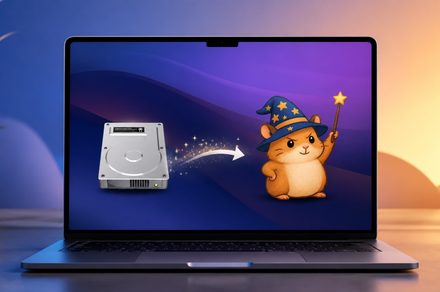
EasyDMG has been released to simplify the process of installing applications on macOS from Disk Image (DMG) files. This new tool automates the entire workflow, allowing users to mount, verify, and install applications contained within DMG files with a single double-click action. Previously, users would typically need to manually open the DMG file, drag the application to their Applications folder, and then eject the disk image. EasyDMG consolidates these steps into a more streamlined and user-friendly experience.
The primary function of EasyDMG is to reduce the number of manual interactions required when installing software distributed in DMG format. This is particularly beneficial for users who frequently download and install applications from various online sources, such as independent developers or niche software providers. By automating the mounting of the DMG, the verification of its contents (though the specifics of this verification are not detailed), and the subsequent installation of the application, EasyDMG aims to save users time and minimize potential errors that can occur during manual installation processes. The tool is designed to be intuitive, requiring no complex configuration or technical expertise to operate.
While the exact technical specifications of EasyDMG's verification process are not elaborated upon, the implication is that it performs a basic check to ensure the integrity of the DMG file before proceeding with the installation. This could involve checking file checksums or other metadata to confirm that the download was complete and uncorrupted. The installation step typically involves copying the application bundle from the mounted DMG to the user's Applications directory, a common practice on macOS. EasyDMG handles this transfer automatically, eliminating the need for drag-and-drop operations. The automation extends to the final step of ejecting the DMG file, which is often overlooked by users, potentially cluttering their Finder sidebar.
The development of tools like EasyDMG reflects a broader trend in software development aimed at improving user experience and accessibility. As the digital landscape evolves, with more software being distributed online, the need for efficient and straightforward installation methods becomes increasingly important. EasyDMG addresses this need for macOS users by providing a dedicated solution for a common, albeit sometimes tedious, task. The tool's effectiveness lies in its ability to abstract away the complexities of the DMG format, making software installation as simple as downloading and double-clicking an executable file, similar to processes on other operating systems. This enhances the overall usability of the macOS platform for a wide range of users, from novices to experienced professionals.
Original source — read the full reporting at the publisher:
Read on Digital TrendsGet the weekly AI digest
AI news + new model releases, weekly. Drafted by our agents, reviewed by humans.